








EasyEdge PROFINET IO Asset Driver: Observer Mode vs Controller Mode
Understand the differences between PROFINET IO Observer and Controller modes, from passive data acquisition to active communication with compatible industrial devices.
Industrial environments depend on reliable communication between machines, controllers, sensors, and automation systems. Accessing this operational data efficiently is essential for monitoring equipment, improving productivity, and enabling Industrial Data Management initiatives.
PROFINET IO is a widely adopted industrial Ethernet protocol designed for real-time communication between automation devices.
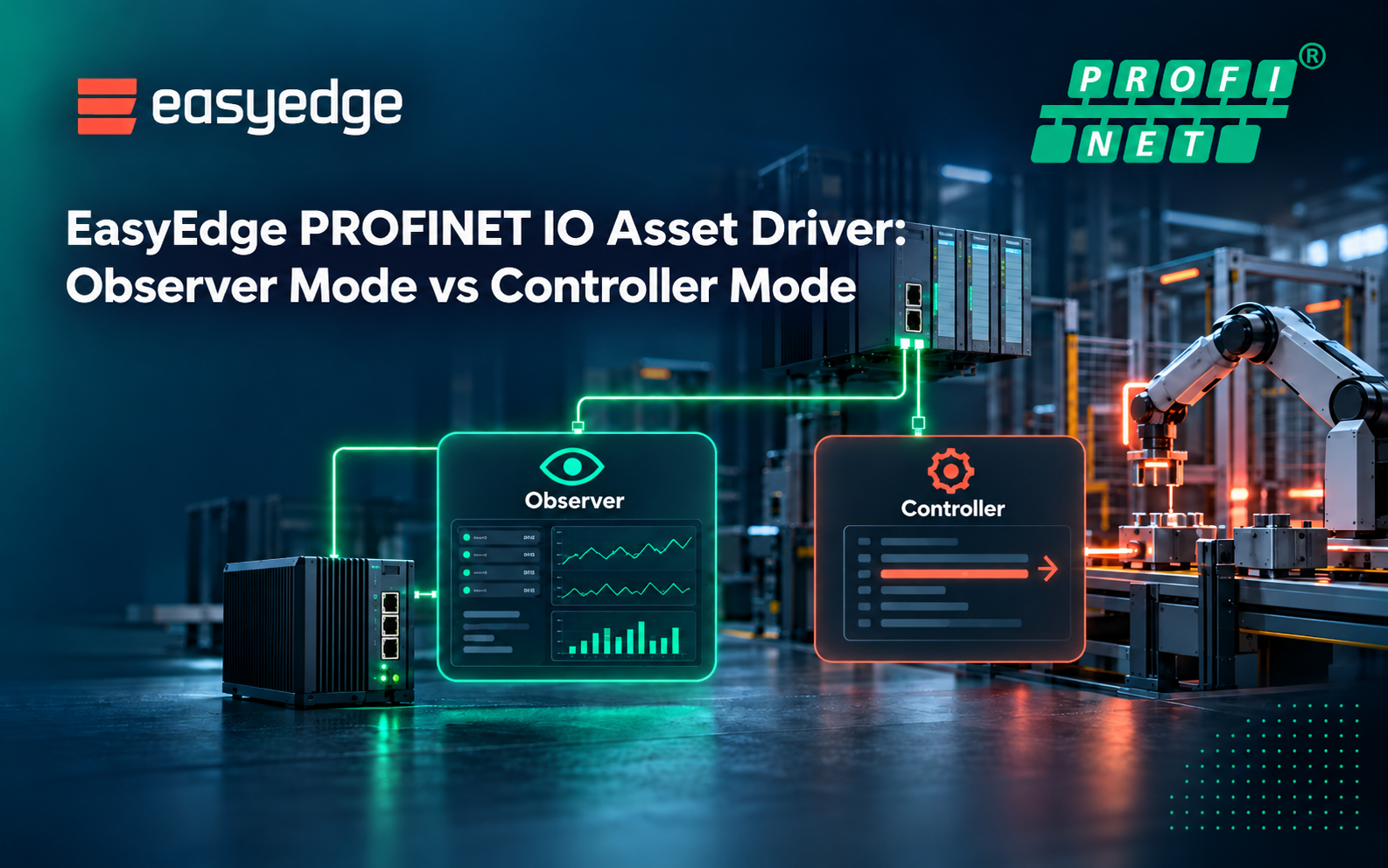
The EasyEdge PROFINET IO Asset Driver supports two distinct operating modes: Observer Mode and Controller Mode. Each addresses different industrial connectivity requirements, from passive data acquisition to active communication with field devices.
Understanding these differences helps organizations choose the right approach for their industrial environments.
Observer Mode: Non-Intrusive, Data-Only Monitoring
Observer Mode is designed for industrial environments where operational data needs to be collected without actively controlling equipment.
This approach is particularly valuable in existing production environments, where modifying PLC configurations or interrupting running processes may be undesirable.
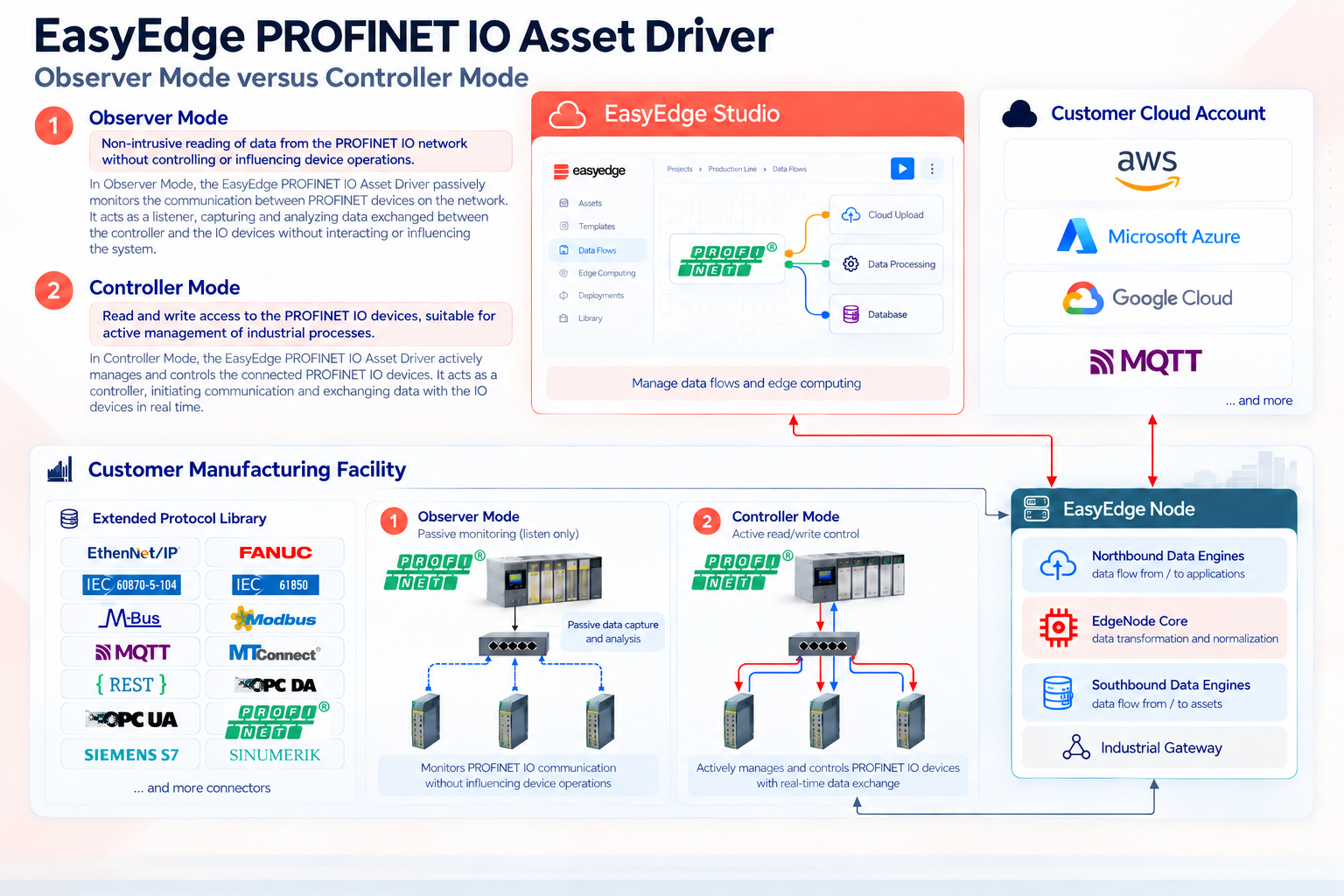
In Observer Mode, the EasyEdge Node passively observes available PROFINET IO communications, enabling data acquisition without issuing control commands or modifying device states.
By minimizing changes to existing automation systems, Observer Mode supports industrial monitoring initiatives while helping preserve operational stability.
Key Features of Observer Mode
- Read-Only Data Acquisition: Collect operational information from PROFINET IO communications without writing commands or changing device states.
- Non-Intrusive Monitoring: Acquire industrial data while minimizing modifications to existing PLC configurations and automation processes.
- Brownfield Integration: Extend data visibility in established industrial environments where maintaining existing control architectures is a priority.
Observer Mode is particularly suitable for applications focused on equipment monitoring, energy management, production visibility, and industrial analytics.
By making existing operational data accessible without introducing active control functions, it provides a practical starting point for integrating legacy industrial environments into modern data platforms.
Controller Mode: Active Communication and Device Control
While Observer Mode focuses on passive data acquisition, Controller Mode enables active communication with compatible PROFINET IO devices.
In this mode, the EasyEdge Node can exchange data with supported devices, including reading inputs and writing outputs according to the configured PROFINET IO communication model.
Controller Mode is particularly useful when integrating additional sensors, actuators, or other field devices that require active communication.
Although it does not replace the broader control responsibilities of an industrial PLC, it provides additional flexibility for industrial data acquisition and device integration.
Key Features of Controller Mode
- Read and Write Access: Support bidirectional communication with compatible PROFINET IO devices, including reading process inputs and writing supported outputs.
- Active Device Integration: Connect and interact with industrial field devices that require an active PROFINET IO Controller.
- Flexible Sensor and Actuator Connectivity: Integrate additional compatible devices into industrial data acquisition and operational workflows.
Controller Mode is well suited to applications that require more than passive observation, particularly when new field devices must be integrated or active communication is necessary.
As with any industrial control integration, device compatibility, network configuration, and operational requirements should be validated before deployment.
Choosing the Right Mode for Your Industrial Needs
Selecting between Observer Mode and Controller Mode depends on the existing automation architecture and the level of interaction required with industrial equipment.
Observer Mode is generally the preferred option when the objective is to collect data from existing PROFINET IO networks while minimizing changes to production systems.
It is particularly relevant for monitoring applications, brownfield connectivity, and projects where preserving established control configurations is important.
Controller Mode is more appropriate when EasyEdge must actively communicate with compatible field devices, exchange process data bidirectionally, or support additional sensor and actuator integration.
Both modes extend the connectivity capabilities of EasyEdge, helping industrial organizations acquire operational data and make it available for processing, contextualization, and integration with applications, cloud platforms, analytics, and AI.
By selecting the appropriate operating mode, organizations can align industrial data acquisition with their operational requirements while building a more consistent foundation for Industrial Data Management.
In Summary
- Observer Mode: Passive monitoring, non-intrusive data acquisition, and minimal changes to existing automation systems.
- Controller Mode: Active communication, supported read/write operations, and greater flexibility for integrating compatible industrial devices.